[product design]
Dashboard for Central Medical Supply Management
Dashboard for Central Medical Supply Management

Helping Medical Centers Run Smoother with a Smart Inventory System
Medical centers rely on accurate and efficient inventory management to keep essential medicines and supplies always available. At Life Health Solution, I designed a complete dashboard app to help staff manage stock, track items in real-time, and reduce errors in day to day operations.
Let me walk you through how I approached this project.
What I Wanted to Achieve
The goal was to create a centralized inventory management system for medical centers. Staff needed a simple, reliable way to:
Track items across multiple sites
Monitor real-time stock levels
Assign shifts for staff managing the inventory
Make updates quickly without confusion
The solution focused on one main touchpoint:
👉 An admin dashboard for medical staff
It had to be clean, structured, and easy to use — so staff could focus less on the system and more on keeping medical supplies ready.
Starting with Ideas
I began by studying how inventory was being managed at the medical center. Most processes were still manual using spreadsheets, notes, or verbal updates. This often led to delays, missing stock, and errors in recording data.
The challenge was clear, design a system that could centralize all inventory tasks, reduce mistakes, and make it easier for staff to manage supplies efficiently. Instead of adding complexity, the solution had to feel simple, structured, and reliable.
Designing for Real People
The redesigned dashboard was built to be intuitive:
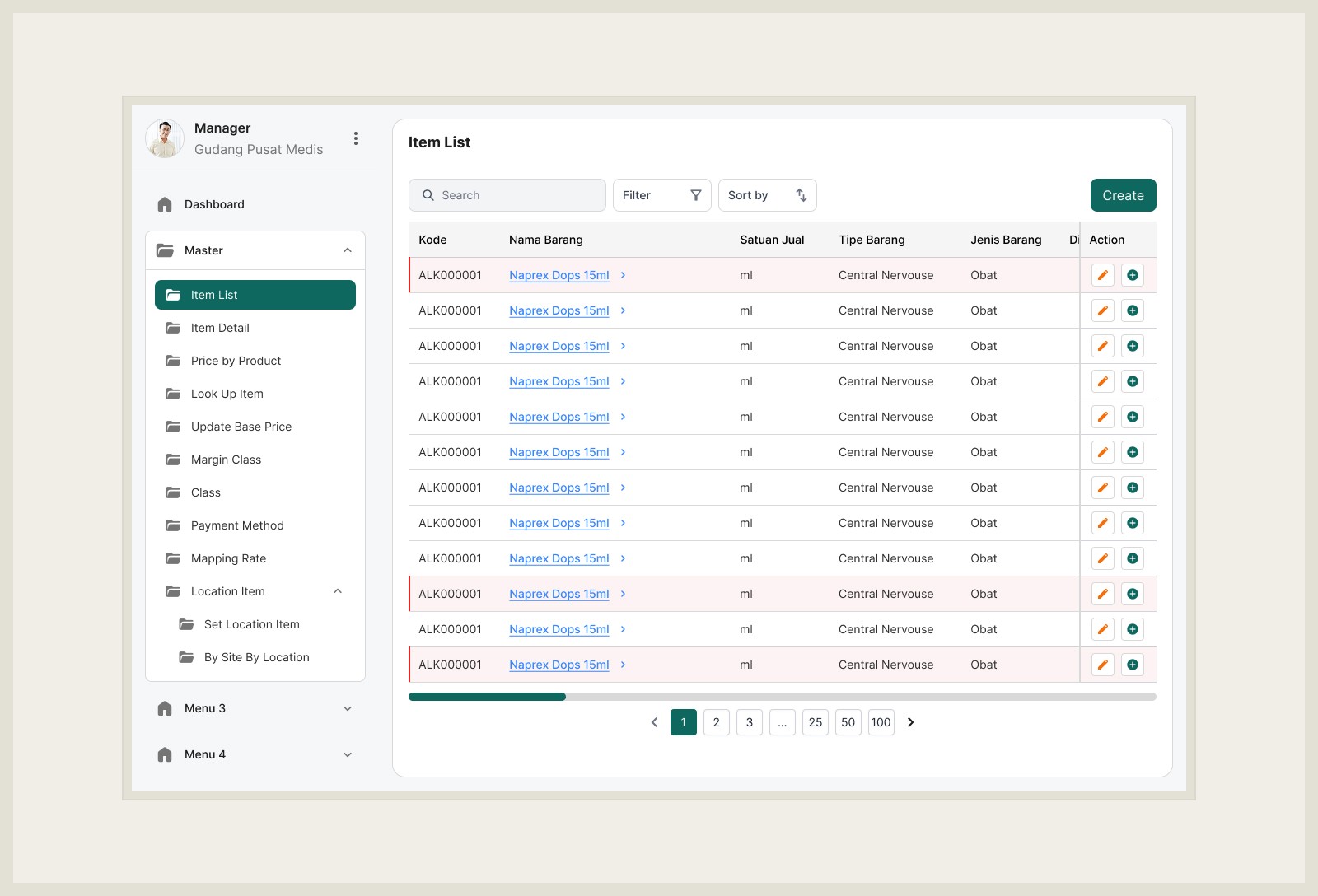
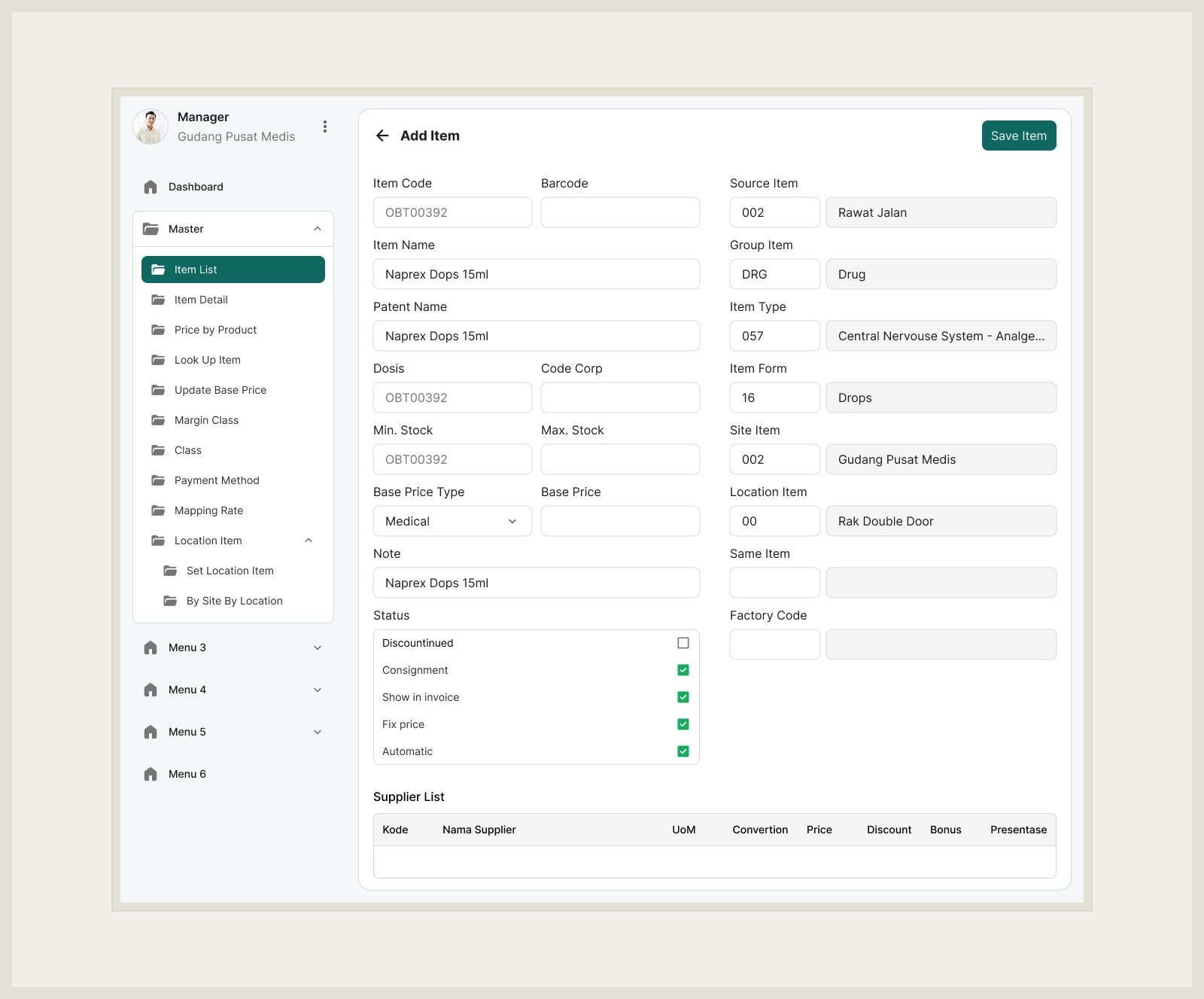
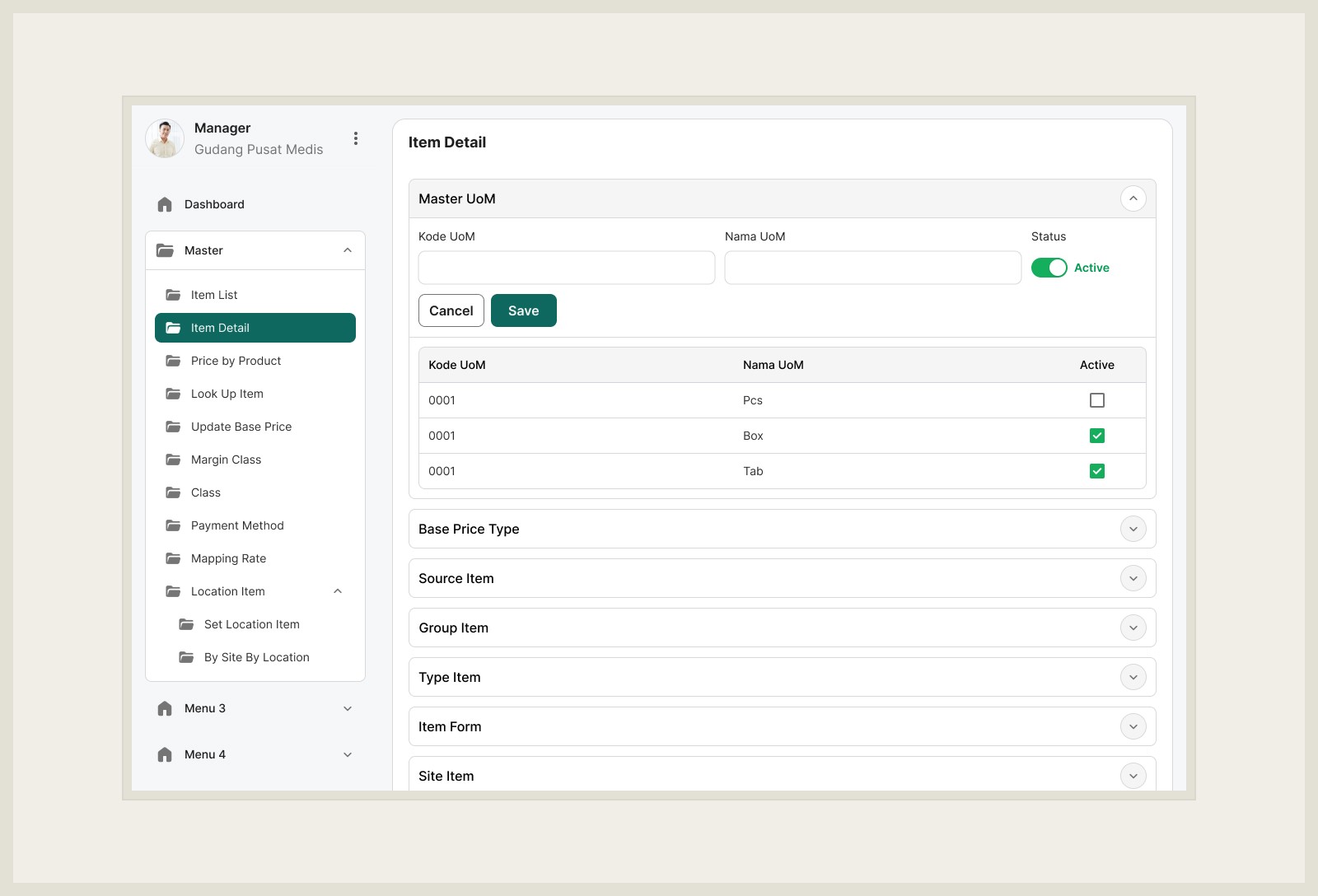
Cleaner Layout – Sidebar navigation organizes features like Item List, Price by Product, Mapping Data, and Location Management.
Readable Tables – Item lists show code, name, unit, type, and category in a structured table with search, filter, and sort options.
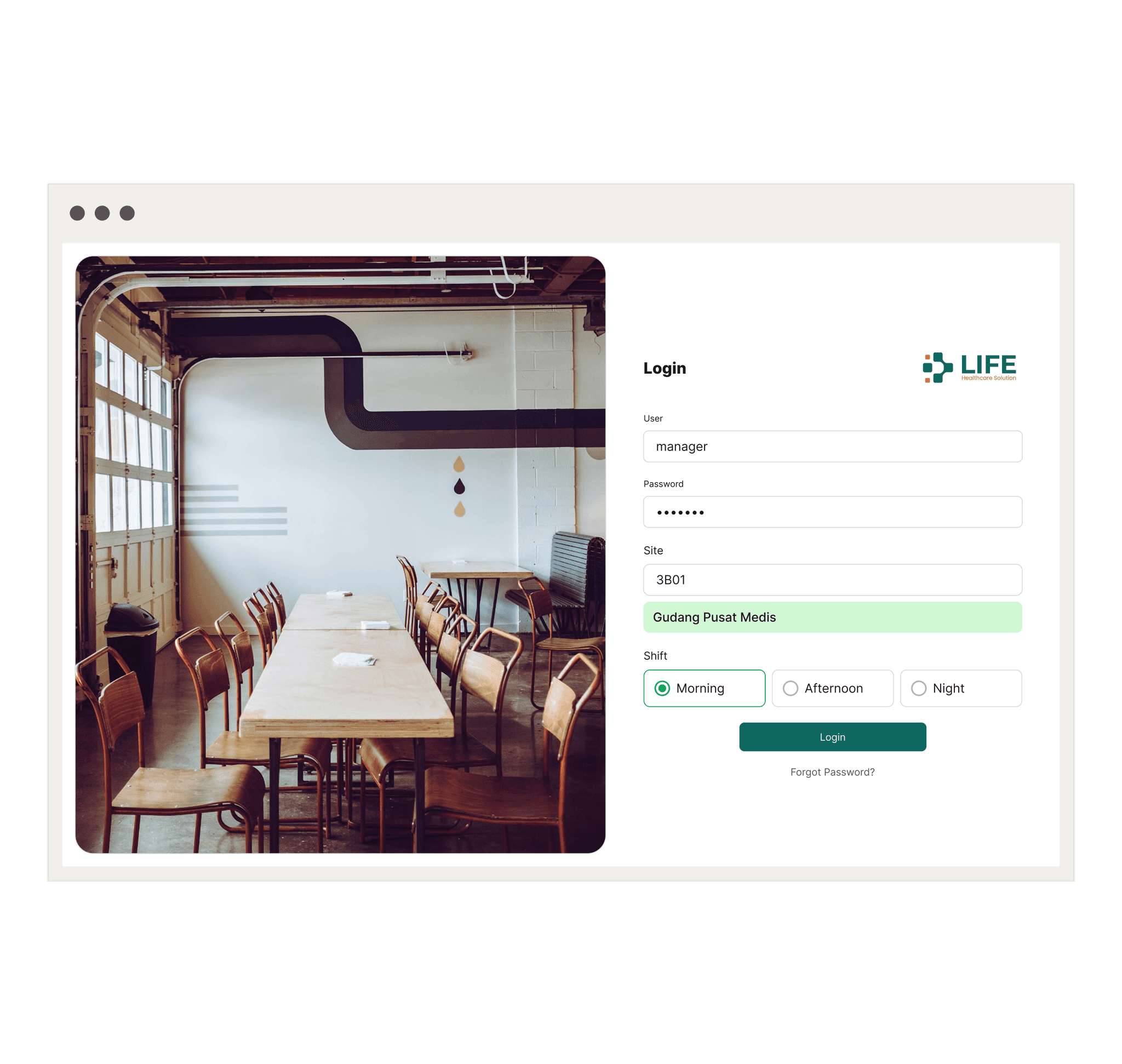
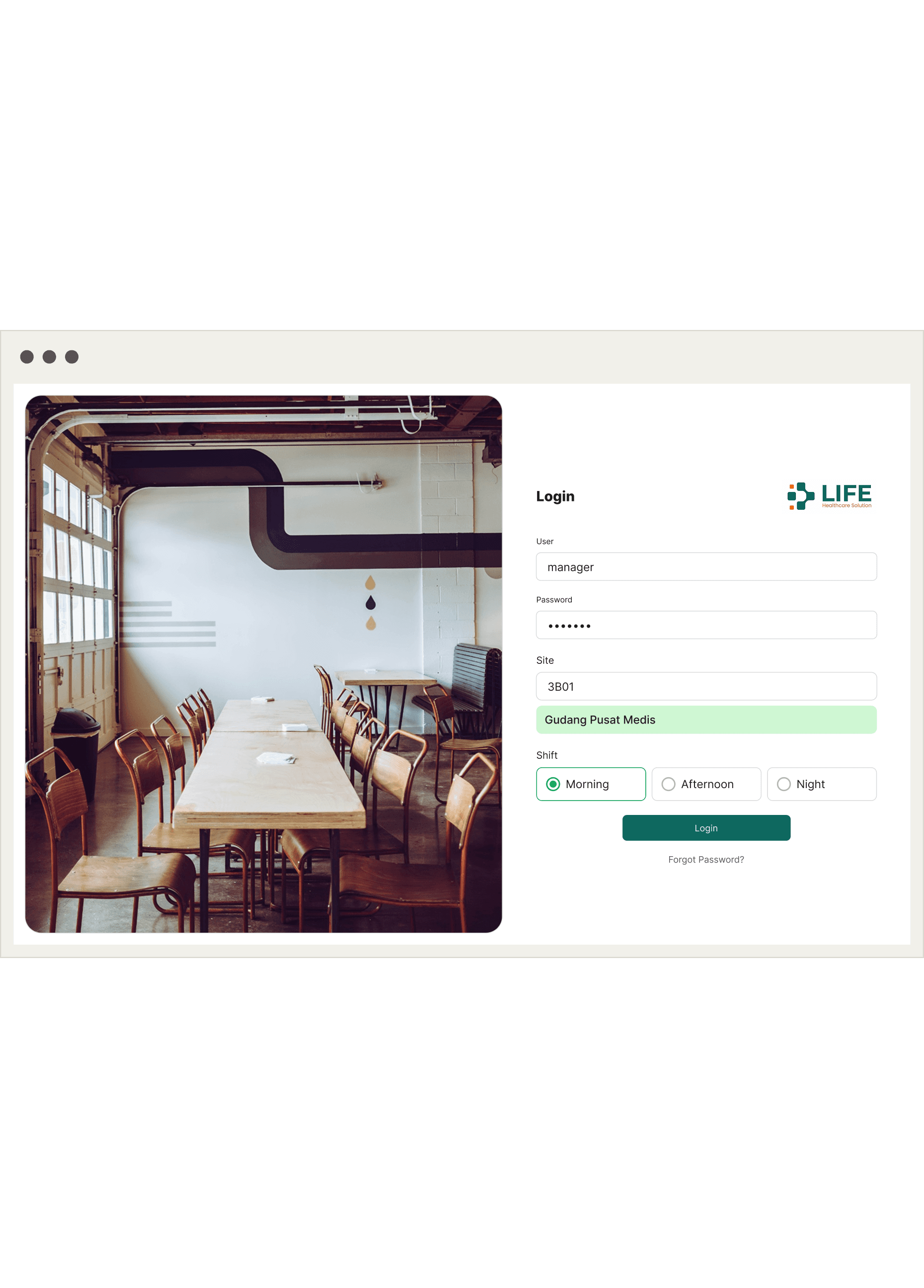
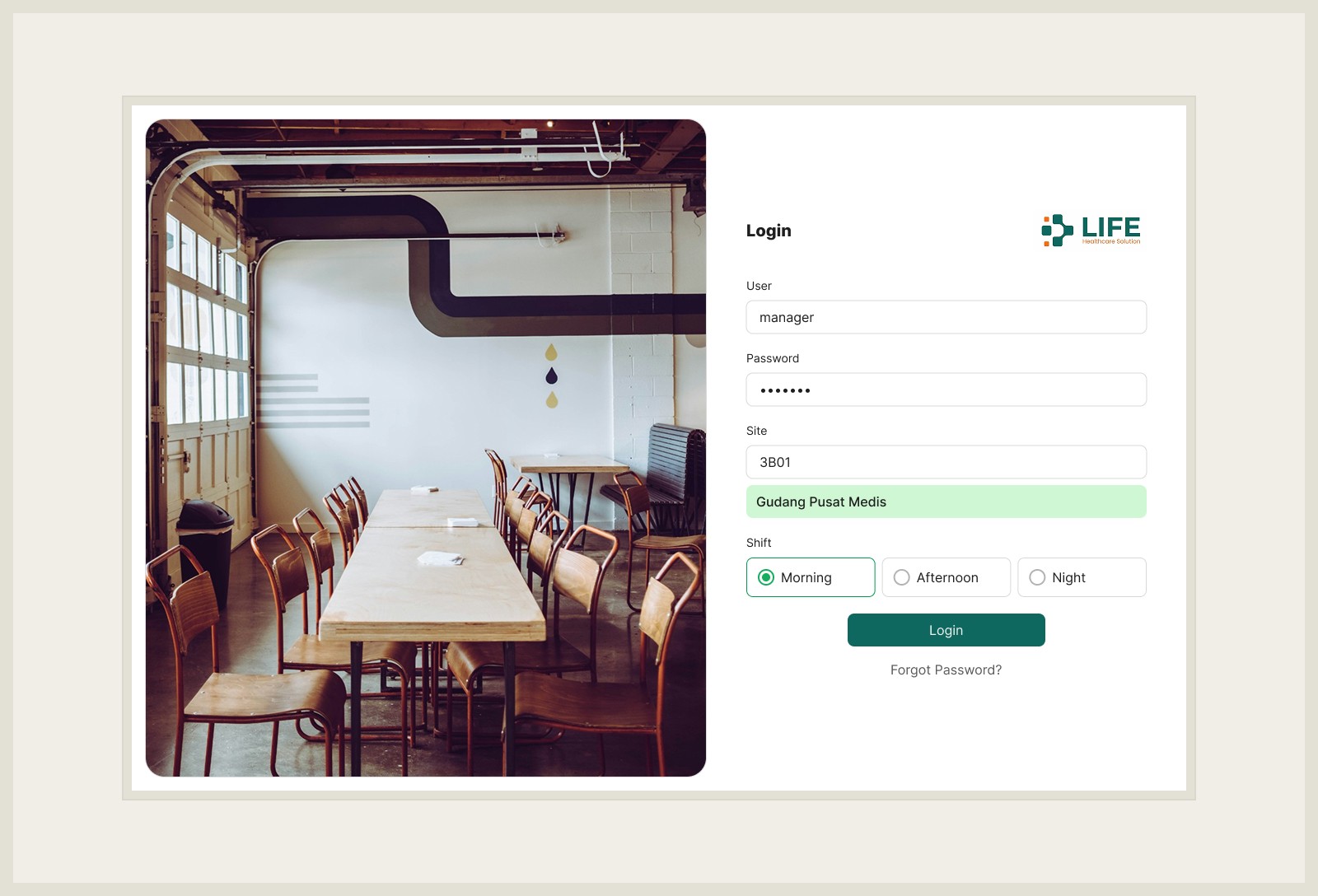
Shift Selection – Staff can log in by selecting their working shift (morning, afternoon, night), making accountability clearer.
Quick Actions – Edit, delete, or add items directly from the list without extra clicks.
The login screen also includes site selection for multi-location centers, ensuring that staff manage only the relevant inventory for their branch.
The Challenges
Keeping It Simple While Covering Complex Needs
Inventory has many variables stock units, item types, medical categories, suppliers. Showing everything at once can overwhelm users. I grouped functions logically and prioritized clarity over clutter.Accuracy and Reliability
In medical environments, even small errors can have big consequences. The interface was designed to reduce mistakes with clear input fields, confirmation steps, and consistent labeling.Adapting to Busy Environments
Medical centers are fast-paced. Staff can’t spend minutes searching for an item in the system. So, I focused on speed: quick search, filters, and a responsive interface that works smoothly even under pressure.
What’s Next for Life Health Solution
The system already helps medical centers run smoother:
Staff log in by shift and site
Items are tracked in real time
Errors and confusion are reduced
Next steps include:
Automated low-stock alerts
Reporting and analytics for better inventory planning
Mobile access for staff working outside the main dashboard
Integration with financial and patient systems to connect supply and demand more seamlessly
Helping Medical Centers Run Smoother with a Smart Inventory System
Medical centers rely on accurate and efficient inventory management to keep essential medicines and supplies always available. At Life Health Solution, I designed a complete dashboard app to help staff manage stock, track items in real-time, and reduce errors in day to day operations.
Let me walk you through how I approached this project.
What I Wanted to Achieve
The goal was to create a centralized inventory management system for medical centers. Staff needed a simple, reliable way to:
Track items across multiple sites
Monitor real-time stock levels
Assign shifts for staff managing the inventory
Make updates quickly without confusion
The solution focused on one main touchpoint:
👉 An admin dashboard for medical staff
It had to be clean, structured, and easy to use — so staff could focus less on the system and more on keeping medical supplies ready.
Starting with Ideas
I began by studying how inventory was being managed at the medical center. Most processes were still manual using spreadsheets, notes, or verbal updates. This often led to delays, missing stock, and errors in recording data.
The challenge was clear, design a system that could centralize all inventory tasks, reduce mistakes, and make it easier for staff to manage supplies efficiently. Instead of adding complexity, the solution had to feel simple, structured, and reliable.
Designing for Real People
The redesigned dashboard was built to be intuitive:
Cleaner Layout – Sidebar navigation organizes features like Item List, Price by Product, Mapping Data, and Location Management.
Readable Tables – Item lists show code, name, unit, type, and category in a structured table with search, filter, and sort options.
Shift Selection – Staff can log in by selecting their working shift (morning, afternoon, night), making accountability clearer.
Quick Actions – Edit, delete, or add items directly from the list without extra clicks.
The login screen also includes site selection for multi-location centers, ensuring that staff manage only the relevant inventory for their branch.
The Challenges
Keeping It Simple While Covering Complex Needs
Inventory has many variables stock units, item types, medical categories, suppliers. Showing everything at once can overwhelm users. I grouped functions logically and prioritized clarity over clutter.Accuracy and Reliability
In medical environments, even small errors can have big consequences. The interface was designed to reduce mistakes with clear input fields, confirmation steps, and consistent labeling.Adapting to Busy Environments
Medical centers are fast-paced. Staff can’t spend minutes searching for an item in the system. So, I focused on speed: quick search, filters, and a responsive interface that works smoothly even under pressure.
What’s Next for Life Health Solution
The system already helps medical centers run smoother:
Staff log in by shift and site
Items are tracked in real time
Errors and confusion are reduced
Next steps include:
Automated low-stock alerts
Reporting and analytics for better inventory planning
Mobile access for staff working outside the main dashboard
Integration with financial and patient systems to connect supply and demand more seamlessly